
My daughter does not watch TV. No tablet, no cartoons on the phone in restaurants: in our house we keep screens to a strict minimum, and we would much rather tell her stories ourselves. So buying her a Yoto Mini player for her fourth birthday was not an impulse purchase. I thought about it for a long time.
What finally convinced me was a simple idea: a little box she could control herself, that only plays stories, songs and the odd podcast, with nothing to watch. Something for the car, and for certain moments of the day when we cannot sit down with a book, without replacing those moments when we can. Here is how the Yoto Mini 4th Gen has fitted into our family, what surprised me, what confused me, and how it compares with the Yoto Player, the Toniebox 2 and other options available in the United States.
Yoto Mini 4th Gen at a glance
| Yoto Mini 4th Gen | |
|---|---|
| US price | $109.99 (Yoto US, November 2, 2026) |
| Age | 3 years and over, according to Yoto |
| Size and weight | about 3 × 2.8 × 2 inches, 6.5 ounces (7.5 × 7 × 5 cm, 185 g) |
| Storage | 64GB, “1,000+ hours” of offline audio |
| Battery | Up to 16 hours, according to Yoto |
| Charging | USB-C (cable included, plug not included) |
| Headphones | Wired 3.5mm jack and Bluetooth |
| Connectivity | Dual-band Wi-Fi 6, Bluetooth LE 6.1 |
| Toughness | IP67 water and dust resistance, “drop-tested 30,000 times” |
| In the box | Player, USB-C cable, Welcome card (doubles as a Make Your Own card), Journey Jams digital card |
| Warranty | Two years, according to Yoto’s launch announcement |
Source: Yoto (product page and technical specifications, checked November 2, 2026).
Yoto or Yoto Mini? Why we chose the Mini
The idea behind Yoto is wonderfully simple. Your child picks a card, slides it into the top of the player, and the story starts. No screen to look at, no menus to scroll, no autoplay rabbit hole. For parents who want children to listen rather than watch, it is the most convincing format I have found.
The hard part was choosing between the two players. I hesitated a lot between the standard Yoto Player and the Yoto Mini. The Player is the “home” model: bigger, with a stereo speaker, a full-panel night light and an okay-to-wake light, $149.99 in its 4th Gen version in the US. The Mini is the portable one: smaller, cheaper, and since this generation, water and dust resistant.
In the end, our use case decided it. We wanted something for the car, for trips and for moments around the house, not a bedside lamp. We already have bedtime covered: that is our time, with a book. So we went for the Mini, and it suits the way we use it. There is a full Yoto vs Yoto Mini comparison further down.
First impressions: very, very small
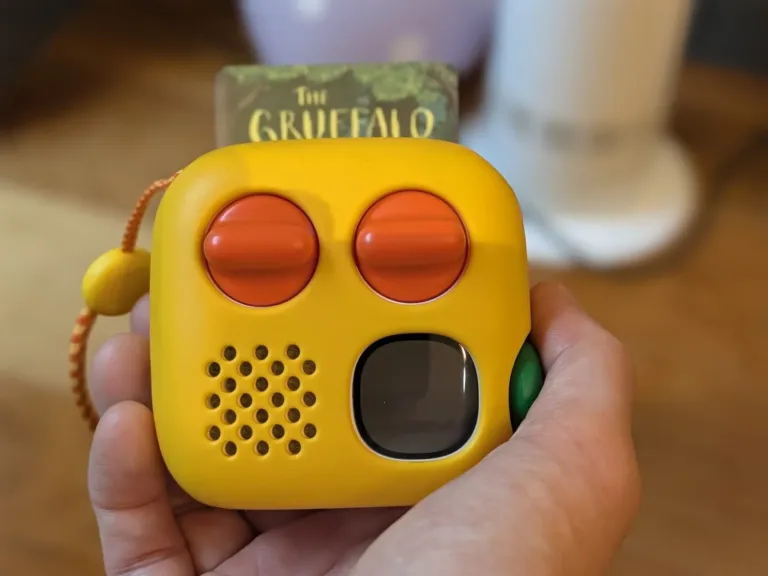
The first thing that struck me when I opened the box was the size. The Yoto Mini is extremely small. At about 3 × 2.8 × 2 inches and 6.5 ounces (7.5 × 7 × 5 cm and 185 g), it fits in an adult’s palm, slips into a coat pocket and is just the right size for little hands. Out of the box it is white, with two big orange knobs and the new green button on the side.
My big fear was the sound. How good can a speaker be in something this small? I was pleasantly surprised: for its size, the audio quality is rather excellent. Voices are clear and easy to follow, and it is plenty loud enough for the kind of listening we do. I will come back to sound in more detail below.
I also liked that it charges over USB-C, the same cable as most of our other devices. One less proprietary charger to lose. Note that Yoto supplies the cable but not the plug, and recommends always using the Yoto-supplied USB-C to USB-C cable.
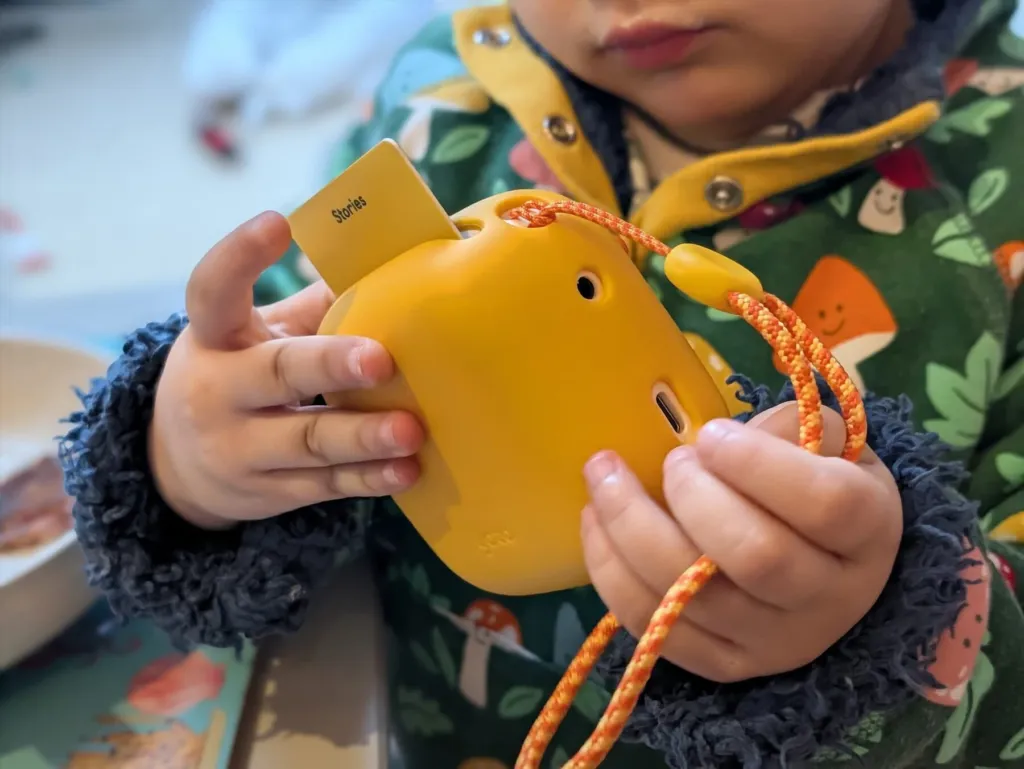
A four-year-old gets it in seconds
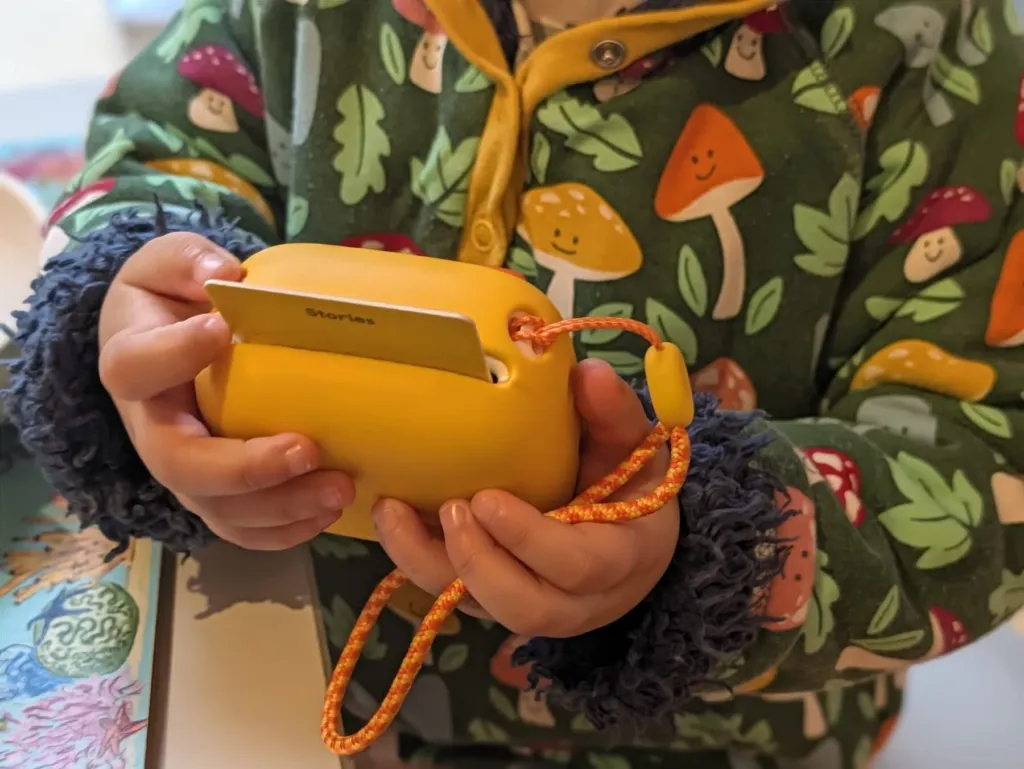
My daughter adopted it immediately. Children understand the principle straight away: put the card in, the story plays. There is nothing to explain: she was choosing and swapping her own cards straight away.
What I find lovely is the sense of ownership. She has her own card case, she knows which story is which by its artwork, and she chooses for herself. For a child who is not used to screens, it is a small, very concrete kind of independence.
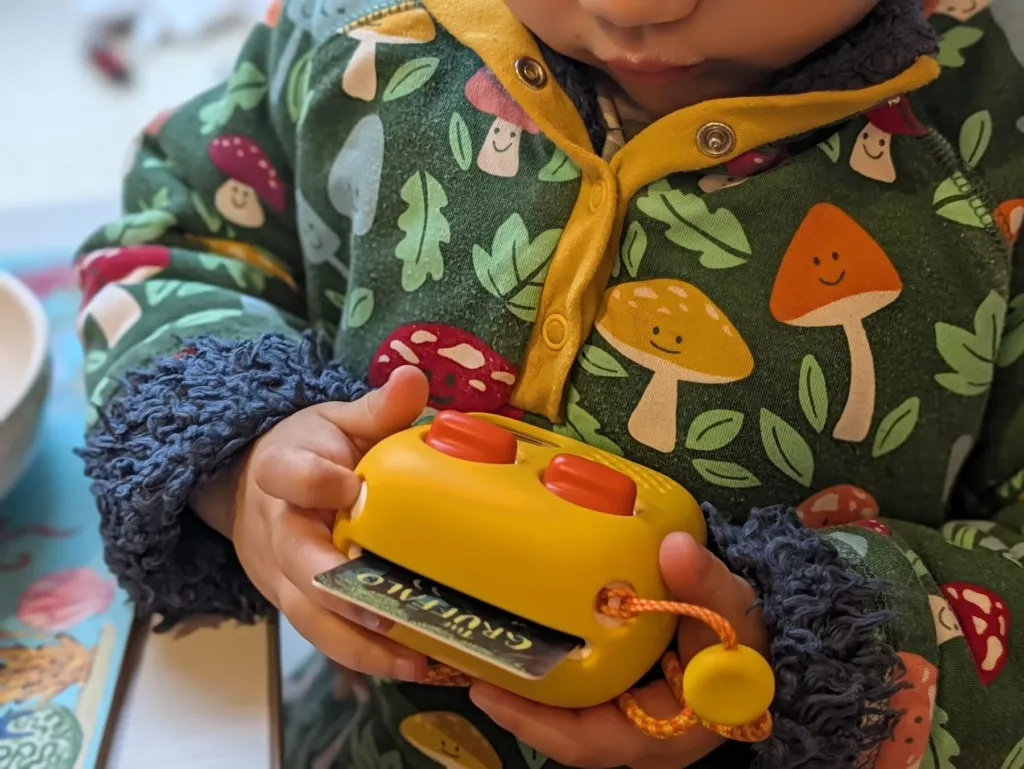
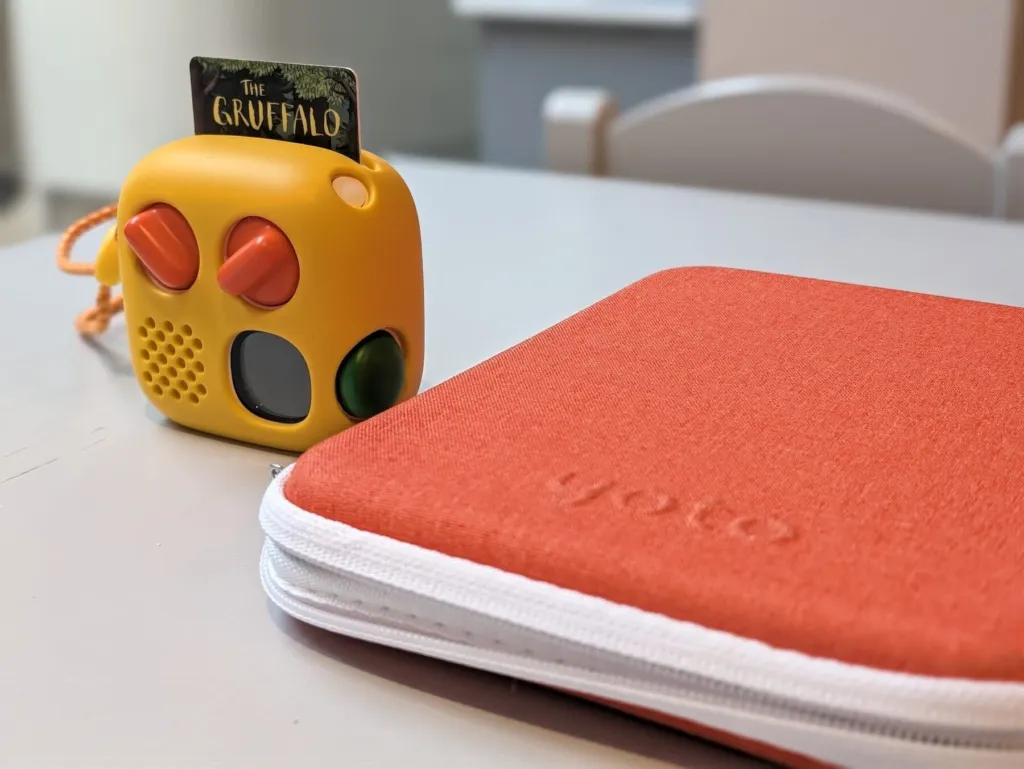
Yoto Mini controls: two orange knobs and a green button
This is where I hesitated. The ergonomics confused me at first. You have two big orange knobs, and it was not obvious why you would turn them. Then there is the green button, which you can press and also turn. Lots of buttons that turn and press: on day one I found myself twisting everything to see what happened.
Once you have understood it, it is fine. Here is the cheat sheet I wish I had been given, based on Yoto’s own guides:
- Left orange knob: turn it to change the volume.
- Right orange knob: turn it to move between chapters or tracks of the card that is playing. On Yoto players, pressing the knobs skips back or forward, and holding them rewinds or fast-forwards.
- Green button (new on 4th Gen): your child’s “favorites” shortcut. Twist to browse up to 20 titles you have chosen in the app (one list for the day, one for the night), press to play, press again to pause, press and hold to stop and go back to the clock. It works without a card.
- Display: shows the artwork of what is playing, little pixel icons for chapters, and a clock when nothing is playing.
My advice: spend five minutes with the player on your own before handing it over, and set up the green button lists in the app straight away so that it does something useful from day one. By default, Yoto puts its free Yoto Daily podcast and Yoto Radio in the day list, and Yoto Sleep Radio and its Yoto Dreams bedtime podcast in the night list.
Yoto Mini cards: how they work, and why it is clever
A Yoto card is just a card with an NFC chip inside, the same family of technology as a contactless bank card. The story is not stored on the card. When your child inserts a card for the first time, the Yoto reads the chip and downloads the audio over Wi-Fi. After that, the story lives on the player.
That is the smart part, for three reasons:
- Offline listening. Once a card has been played at home on Wi-Fi, it plays anywhere, including in the car or on a plane. The 4th Gen Mini has 64GB of storage, which Yoto says is enough for more than 1,000 hours of audio, double the previous Mini.
- Durability. If a card gets chewed, bent or lost behind the sofa, you can link the same content to a Make Your Own card from your library.
- Flexibility. Because the player is just reading a chip, the same blank card can be re-recorded as many times as you like.
A practical tip: before a long journey, play each card your child might want once at home, so that everything is already downloaded. Streaming content such as radio stations and some podcasts still needs a connection.
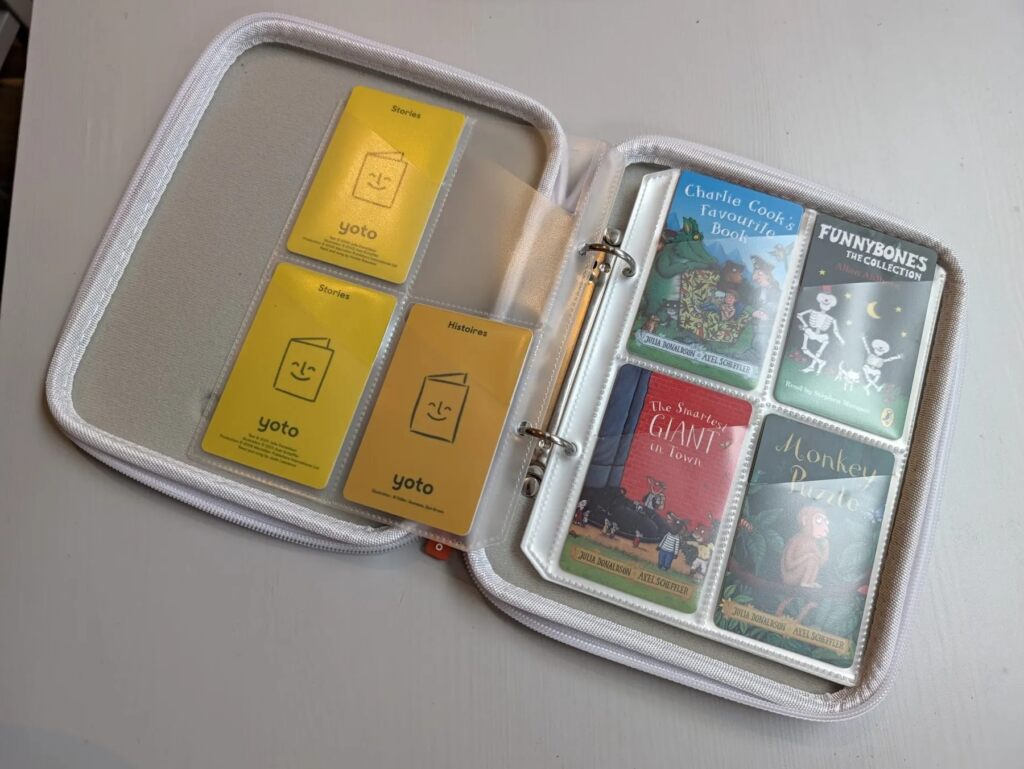
The cards we own so far are a very Julia Donaldson and Allan Ahlberg kind of library: The Gruffalo, Funnybones, Monkey Puzzle, Charlie Cook’s Favourite Book and The Smartest Giant in Town, plus a few yellow Make Your Own cards labelled “Stories”. All Yoto cards work on the Mini as well as the bigger Player (with the exception, for now, of some interactive cards on 4th Gen players). They generally cost different amounts in the US: for example, Yoto lists Frog and Toad at $11.99 and Disney Winnie the Pooh at $14.99 before discounts; packs may cost more.
Yoto Make Your Own cards: grandma and grandpa in a card
If I had to keep only one feature, it would be this one. Each Yoto player comes with a Welcome card that doubles as a blank Make Your Own card, and you can buy packs of 10 for $29.99 on Yoto’s US site.
We live in London and my family lives in France. I collected voice messages from our French relatives and put them on a blank card. Now my daughter puts that card in whenever she wants to hear grandma and grandpa. It warms her heart. No video call to organize, no phone to hand over: she is the one who decides when she wants to hear them.
How it works, in short: you record audio in the Yoto app (or upload existing audio files), create a playlist, then link it to a blank card by inserting the card into the player. According to Yoto, each card holds up to 100 tracks, with a maximum of one hour per track and 500MB per card, and you can relink it as often as you like. You can also put podcasts, radio streams or your own MP3s on a card.
Ideas that work well:
- Grandparents reading a bedtime story or singing a nursery rhyme in their language
- Birthday messages from the whole family
- A bilingual card for families raising children with two languages
- A replacement for a favorite card that has gone missing
Sound quality: is the Yoto Mini loud enough?
Yoto does not publish a wattage for the 4th Gen Mini’s speaker; it just promises “size-defying sound”. In practice, it is rather good. Spoken word is where it shines: narrators sound natural, there is no harshness at medium volume, and it fills a car or a bedroom without any trouble. Music is perfectly pleasant for children’s songs, but obviously it will not replace a proper speaker for a kitchen disco.
The reviewer at Busy Busy Learning, who tried both generations, also found the 4th Gen Mini sounds better than the 2024 model. For comparison, the bigger Yoto Player 4th Gen has a 5W stereo speaker, so if music matters a lot in your house, that is the one to look at.
For headphones, there is a 3.5mm jack and Bluetooth. Yoto says the 4th Gen players default to safe listening volumes with headphones, and you can set volume limits for day and night in the app. That is handy for the car, when a child wants The Gruffalo one more time and the grown-ups would quite like some quiet.
Yoto Mini battery life and charging
Yoto quotes up to 16 hours of battery life for the Mini 4th Gen. Be aware that some launch coverage, including Busy Busy Learning and AIToys, reported a figure of up to 12 hours from Yoto’s early materials, so treat 16 hours as a best case. In any case, it is more than enough for a long car journey or several days of short listening sessions. Battery life will vary with volume, screen brightness and Wi-Fi use.
Charging is by USB-C. Yoto recommends a USB-C plug of at least 5V 1A, and always using the supplied USB-C to USB-C cable.
Is the Yoto Mini waterproof? Durability and our Adventure Jacket
The 4th Gen is the first Yoto Mini that is water and dust resistant. It is rated IP67, which Yoto says means it can survive immersion up to about 3.3 feet (one meter) for up to 30 minutes, and it has been “drop-tested 30,000 times”. Yoto adds that the Mini must dry completely before it is used or charged after getting wet.
We still bought a yellow silicone cover, Yoto’s Adventure Jacket (yellow is the “Sunny Side Up” color). The Mini is white by default, and the jacket means my daughter can carry it around our home, take it in the car and drop it without me holding my breath. It leaves all the buttons, the port and the headphone socket accessible, and the 4th Gen version comes with a wrist lanyard. US prices vary by color and retailer.
The Yoto app: Yoto Daily, free radio and sleep settings
To be completely transparent: we mostly use our Yoto for cards, and I have not explored every feature of the app yet. Here is what is available according to Yoto, so you know what you are getting.
- Free audio: the Yoto Daily podcast (a short daily show for children), Yoto Radio stations, sleep sounds and soundscapes, and monthly digital cards.
- Day and night modes: different green button playlists, volume limits and settings for day and night.
- Clock and okay-to-wake cues: the display works as a digital clock when nothing is playing, with day and night settings that can act as an okay-to-wake signal. The Mini has no night light, unlike the Yoto Player.
- Timers and alarms: the app offers alarms and timers (toothbrushing, homework and so on).
- Parental controls: volume limits, managing the library and settings remotely from your phone.
- Create: the space where you record or upload your own audio for Make Your Own cards or the green button.
One caveat: the 4th Gen players run on a new platform and Yoto says “a few features aren’t available just yet”, including compatibility with interactive cards. According to Busy Busy Learning, using the Mini as a Bluetooth speaker for your phone is also not available at launch. Yoto says these are temporary.
Yoto Club: do you need it?
No. Physical cards and free content work without a subscription. On November 2, 2026, Yoto US listed Explorer at $4.99 per month or $39.99 per year for digital Yoto Originals; Collector at $10.99 per month or $99.99 per year with one monthly card credit; and Collector+ at $18.99 per month or $169.99 per year with two monthly credits. Annual plans issue their credits at once. Credits expire after 12 months and plans renew automatically. Club digital titles linked to Make Your Own cards stop working after the membership ends. Check Yoto’s current US terms before subscribing.
Yoto Mini 4th generation: what is new vs the 2024 Mini?
If you are hesitating between the new model and the cheaper 2024 Mini, here is what changes, according to Yoto and the specialist press:
| Yoto Mini (2024) | Yoto Mini 4th Gen | |
|---|---|---|
| US price | Check current retailer pricing | $109.99 |
| Green button (favorites without a card) | No | Yes, up to 20 titles day and 20 night |
| Storage | 32GB (500+ hours) | 64GB (1,000+ hours) |
| Battery (Yoto figure) | Up to 14 hours | Up to 16 hours (12 hours cited at launch) |
| Water and dust | No IP rating | IP67 |
| Wi-Fi and Bluetooth | Wi-Fi, Bluetooth | Wi-Fi 6 dual band, Bluetooth LE 6.1 |
| Display | Pixel display | New display showing title artwork |
| Interactive cards | Supported | Not fully supported at launch |
| Bluetooth speaker mode | Yes | Not at launch |
Sources: Yoto, Busy Busy Learning, AIToys (checked November 2, 2026).
My take: if you are buying your first Yoto for a young child who will carry it everywhere, the 4th Gen’s water resistance, the green button and double the storage may justify the higher price. If budget is the priority, or interactive cards matter to you right now, the 2024 Mini is still a good buy while stocks last.
Yoto vs Yoto Mini: which should you buy?
This is the question I spent the longest on, so here is the short version of the difference between the Yoto and the Yoto Mini.
Choose the Yoto Mini if: you want it mainly for the car, travel and moving around the house; your child is going to carry it; you want something tough and water resistant; or you would like to spend less.
Choose the Yoto Player if: it will live in a bedroom; you want a night light and an okay-to-wake light; you care about music and stereo sound; or you want wireless charging. The Yoto Player 4th Gen costs $149.99 on Yoto’s US site; check current pricing for the older model.
Both 4th Gen players share the green button, 64GB of storage, Wi-Fi 6, Bluetooth headphones and the same cards. Cards work on all Yoto players, so a family can easily start with one and add the other later.
Yoto Mini vs. Toniebox 2 and Yoto Player
For US families, these are the two alternatives I would consider first. Prices below were checked on November 2, 2026, and can change. Tax and shipping may be extra.
| Player | US list price | Best fit | Trade-off |
|---|---|---|---|
| Yoto Mini 4th Gen | $109.99 | Travel, car rides and independent card choices from age 3 | No night light; extra cards cost more |
| Yoto Player 4th Gen | $149.99 | A bedroom player with stereo sound and a night light | Larger and not IP67 rated |
| Toniebox 2 | $129.99 for the player | Children from age 1 who enjoy tactile figures and interactive play | Bulkier; figures are an additional purchase |
Sources: Yoto Mini, Yoto Player and tonies US.
Yoto vs. Toniebox: my take
Both are excellent. The Toniebox 2 is softer and suits toddlers better, while the figures are a big part of the fun. The Yoto Mini is smaller and easier to take in the car, its cards are easy to store, and the app includes free content. For our four-year-old, the Mini was the better fit. With a toddler, I would look closely at the Toniebox 2.
Yoto Mini price: what does it really cost?
The player is only the start. As an illustrative US budget, the Mini was $109.99 on Yoto US, a card case was listed at $29.99 before its sale, and five hypothetical cards at $11.99 each would add $59.95 (the list price of Frog and Toad is one example). That comes to $199.93 before tax and shipping, without a protective jacket or subscription. This is an example, not a claim that we bought those exact cards. Prices and bundles change. A ten-pack of Make Your Own cards was listed at $29.99 before promotions. Sources: Yoto Mini, card case and Yoto cards, checked November 2, 2026.
Yoto Mini case, card case and other accessories worth buying
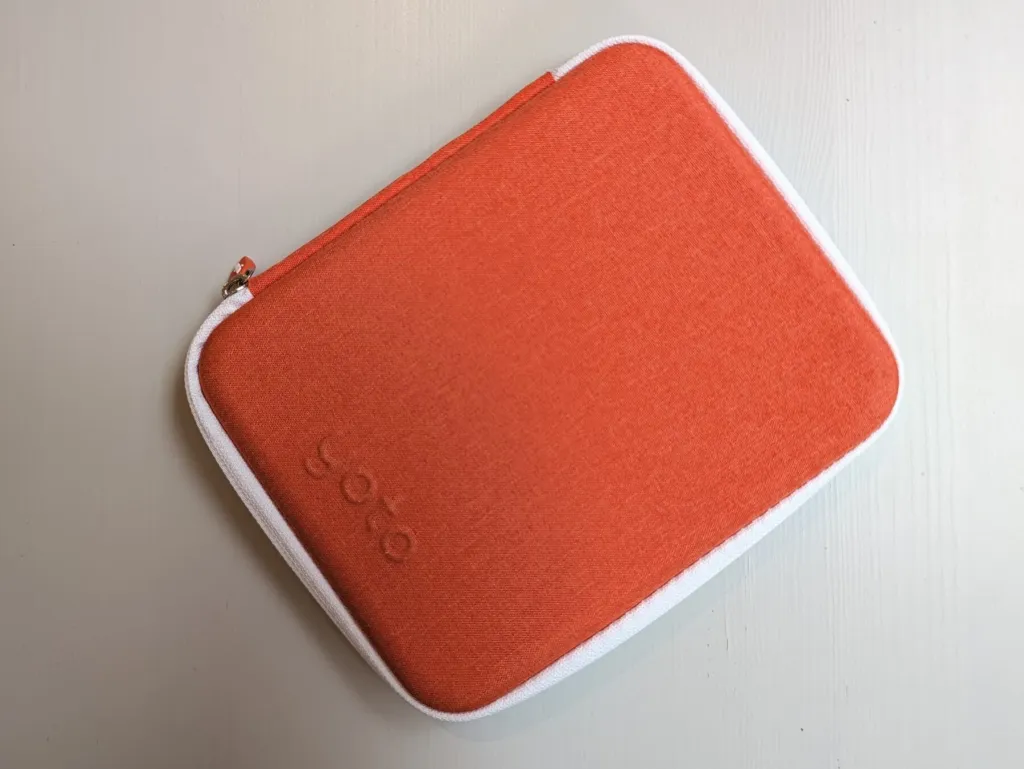
- A card case. We bought the orange Yoto card case and I consider it essential. It holds up to 64 cards in angled pockets, my daughter can carry it herself, and all her cards stay in one place. $29.99 list price on the US Yoto site when checked.
- An Adventure Jacket. The silicone cover makes the Mini easier to hold and protects it from drops. Ours is yellow.
- A Travel Case (optional). Yoto’s 4th Gen Travel Case holds the Mini, headphones and up to 30 cards. We have not tested it; the card case was enough for us.
- Children’s headphones (optional). Useful for trains and planes. Choose volume-limited ones.
Are Yoto Minis worth it? My verdict
For us, yes. The Yoto Mini 4th Gen has found exactly the place I hoped it would: in the car, and in those moments of the day when we cannot sit down with a book. It has not replaced the stories we tell her ourselves, and that was never the point. What it has done is give a four-year-old who does not watch screens her own little world of stories, which she controls completely.
The sound is excellent for the size, the build is reassuringly tough, USB-C charging is a small joy, and the Make Your Own card with her grandparents’ voices is worth the price on its own for a family split between London and France. The controls confused me at first, and you need to budget for cards and a case, but those are small reservations.
If you want a bedside player with a night light, buy the Yoto Player. If you have a toddler, look at the Toniebox 2. For everyone else who wants a portable, screen-free audio player that a child can use alone, the Yoto Mini 4th Gen is the one I would recommend.
Frequently asked questions
Yoto Mini: your questions answered
Is the Yoto Mini worth it?
If you want a portable, screen-free player that a child of three or more can use alone, yes. Budget for a card case, a protective jacket and a few cards on top of the $109.99 player.
What are the downsides of the Yoto Mini?
The controls take a few minutes for adults to understand, cards and accessories add up, there is no night light, and on the 4th Gen some features (interactive cards, Bluetooth speaker mode) were not available at launch. The speaker is great for stories but limited for music.
Should I get the Yoto Mini or the Yoto Player?
The Mini ($109.99) is small, portable and IP67 water resistant: ideal for the car and travel. The Player 4th Gen ($149.99) is a home player with stereo sound, a full-panel night light, an okay-to-wake light and wireless charging. Both play the same cards and have the green button.
Which is better, Yoto Mini or Toniebox?
It depends on your child. The Toniebox 2 is softer and suitable from age one, with collectable figures. The Yoto Mini is smaller, more portable, has cheaper cards and more free content. For a child of three or four who will use it on the move, I prefer the Yoto Mini.
What age is the Yoto Mini for?
Yoto says its players are suitable for children aged three and over. Younger children can listen with an adult handling the device. The card library goes from nursery rhymes and The Gruffalo to Roald Dahl and Harry Potter, so it grows with them. Ours arrived for our daughter’s fourth birthday, which felt like a good age to start.
Yoto or Yoto Mini for a 2 year old?
Yoto recommends its players from age three, with an adult handling the device for younger children. For a two-year-old, the Toniebox 2, certified from age one, may be the simpler choice.
Does the Yoto Mini work without Wi-Fi?
Yes, once the audio has been downloaded. The first time a card is played, the player needs Wi-Fi to download it; after that it plays offline. Radio stations and some podcasts need a connection to stream.
How long does the Yoto Mini battery last?
Yoto quotes up to 16 hours for the 4th Gen. Some launch coverage cited up to 12 hours, and real-world life depends on volume, brightness and Wi-Fi, so plan on less for heavy use. It charges over USB-C.
Is the Yoto Mini waterproof?
The 4th Gen is rated IP67 for water and dust: Yoto says it can withstand immersion up to about 3.3 feet (one meter) for up to 30 minutes. It must dry completely before use or charging. Earlier Minis do not have an IP rating.
Is the Yoto Mini safe? What was the Yoto recall?
The US Consumer Product Safety Commission recall concerns an older Yoto Mini sold from November 2021 through April 2024, not the 4th Gen. Its battery can overheat and catch fire. If you have a recalled unit, stop using it, keep it away from children and contact Yoto for the free battery replacement kit, even if you received the earlier smart cable. Check the serial number with Yoto before buying a secondhand Mini.
Does the Yoto Mini have Bluetooth? Can I use wireless headphones?
Yes. The 4th Gen supports Bluetooth headphones as well as wired headphones via a 3.5mm jack. Using the Mini as a Bluetooth speaker for your phone was not available at launch on the 4th Gen, according to Busy Busy Learning.
Does the Yoto Mini come with cards?
It comes with a Welcome card that doubles as a blank Make Your Own card, plus the Journey Jams digital card in the app and free Yoto Daily and Yoto Radio. Story cards are sold separately, with prices varying by title.
Can I make my own Yoto cards?
Yes. With Make Your Own cards you can record your own voice in the app, upload MP3s, or link podcasts and radio streams. Each card holds up to 100 tracks. A pack of 10 blank cards costs $29.99.
Does the Yoto Mini have a night light?
No. The Mini has a display that shows a clock and can act as an okay-to-wake cue, but no night light. If you want one, choose the Yoto Player.
Do I need a Yoto Club subscription?
No. Yoto Club is optional. In the US it starts at $4.99 a month (Explorer); Collector is $10.99 and Collector+ is $18.99 monthly, with card credits. It renews automatically.
Questions & reviews
Have a question about this product?
Share a question, opinion or experience. Our team reads every message and will reply.